For suppliers and brands
Walk into every distributor meeting with the exact numbers.
Set your FOB price, see how margins land at every tier, and send distributors a read-only pricing page they can open without a login — instead of another stale spreadsheet.
No card required. Which plan is right for me?
Built for suppliers
The three-tier math, done for you.
Spreadsheets don't understand FOB structures, depletion allowances, or how a distributor margin compounds into a shelf price. Alculator does — every field on the page is a beverage-industry concept, not a cell reference.
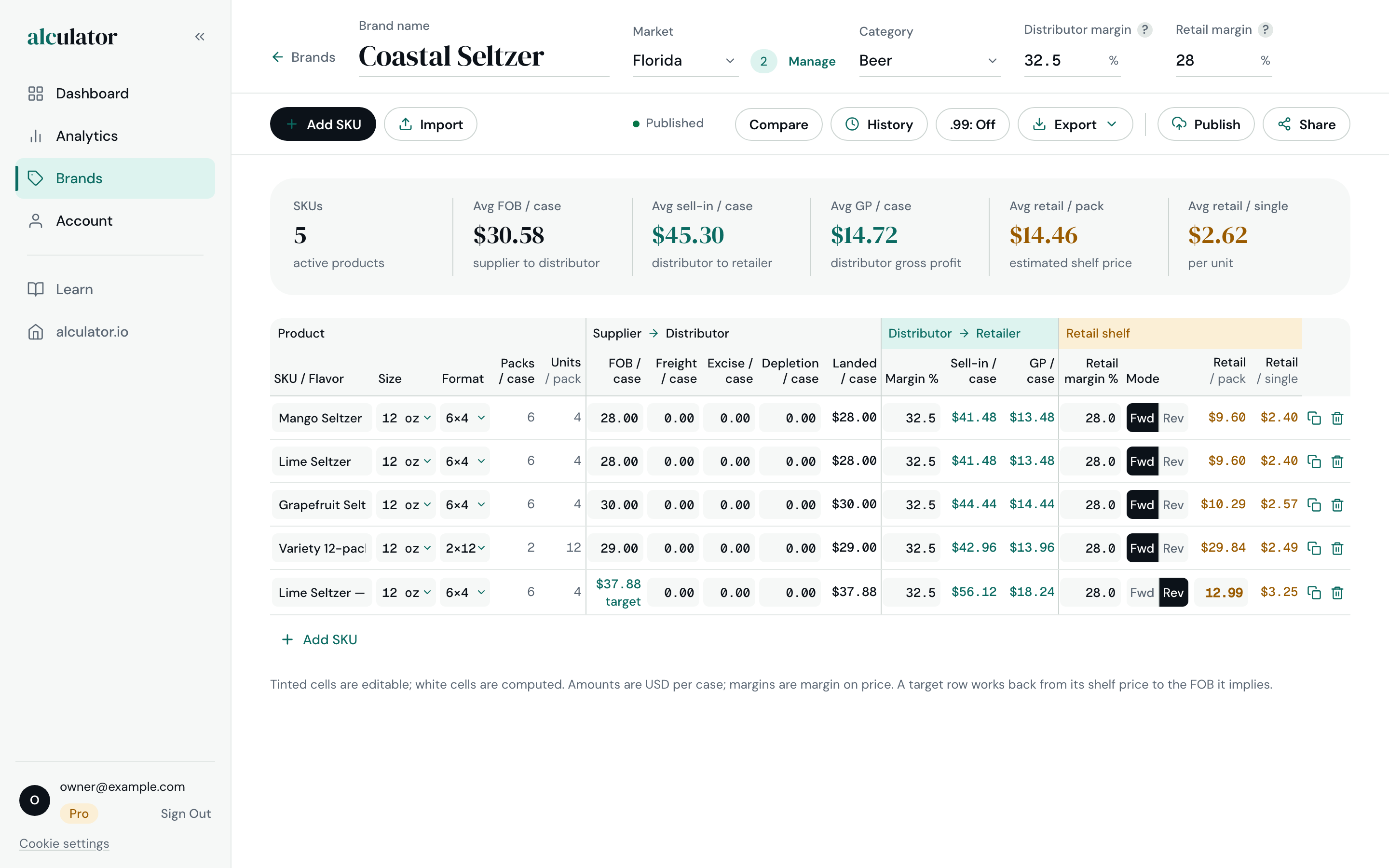
- Forward pricing: FOB to distributor sell-in to shelf price, live as you type
- Freight, excise, and depletion split out per SKU — the distributor’s laid-in cost is never a guess
- Per-SKU margin overrides, or global defaults across the brand
- Kegs priced by half, quarter, and sixth barrel — with per-pour economics
- Separate margins and freight for every market you sell into
- .99 / .49 shelf-price rounding built into the math
Model in both directions
Start from your FOB — or from the shelf.
Forward mode answers "what will my beer cost at retail?" Reverse mode answers the harder question: "what FOB do I need so it lands at $9.99?" Flip between them per SKU; the engine keeps both directions in exact agreement. In trade terms, forward gives you the PTR (price to retailer) and the PTC (price to consumer) from your FOB; reverse solves for the frontline FOB a target PTC allows.
Depletion allowances — the per-case dollars that fund a distributor’s post-offs to retail — are modeled where they belong, netted out of your FOB before the margin math, so the margin you quote a distributor is the margin they’ll actually see.
How FOB pricing worksLive share links
Send a link, not an attachment — or a sell sheet that matches it.
Generate a read-only link to your pricing that any distributor or buyer can open in a browser — no login, no software. Your live data stays private; the link shows a snapshot you control.
Each link tracks how many times it's been viewed, so you know whether that buyer actually opened your pricing before the meeting. Deactivate any link, any time. On Pro, the same table exports as a one-page PDF sell sheet for the distributors who still want paper.
Unlimited links on Pro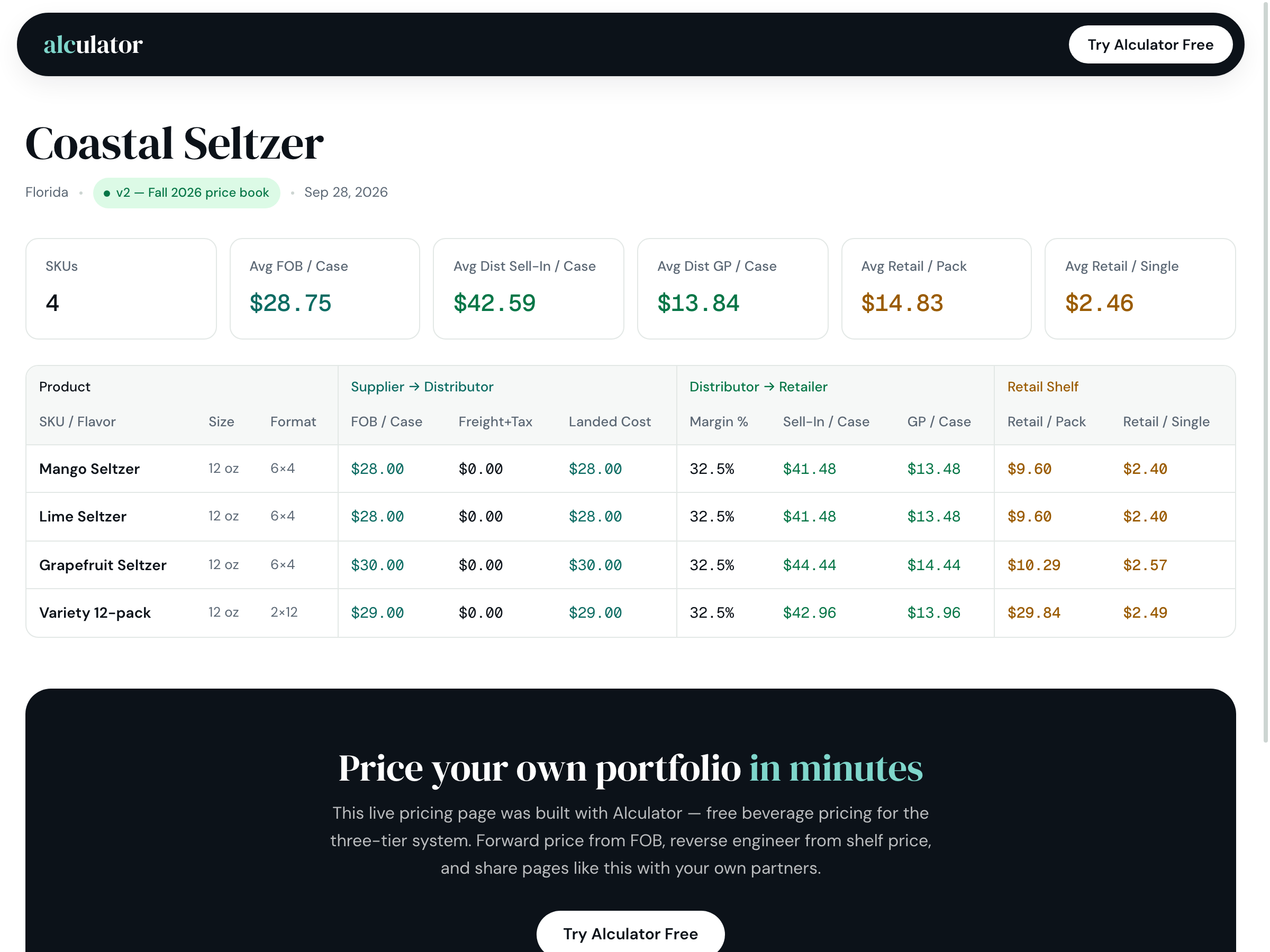
Pricing requests
When a distributor asks for pricing, answer in minutes.
Distributors on Alculator send suppliers a request link. You fill in your SKUs and FOB prices right in the browser — completely free, no account required — and submit.
They import your line at their own margins, and you keep a free copy of your pricing to build on. It's the fastest way to get your brand into a distributor's book looking professional.
How distributors use requests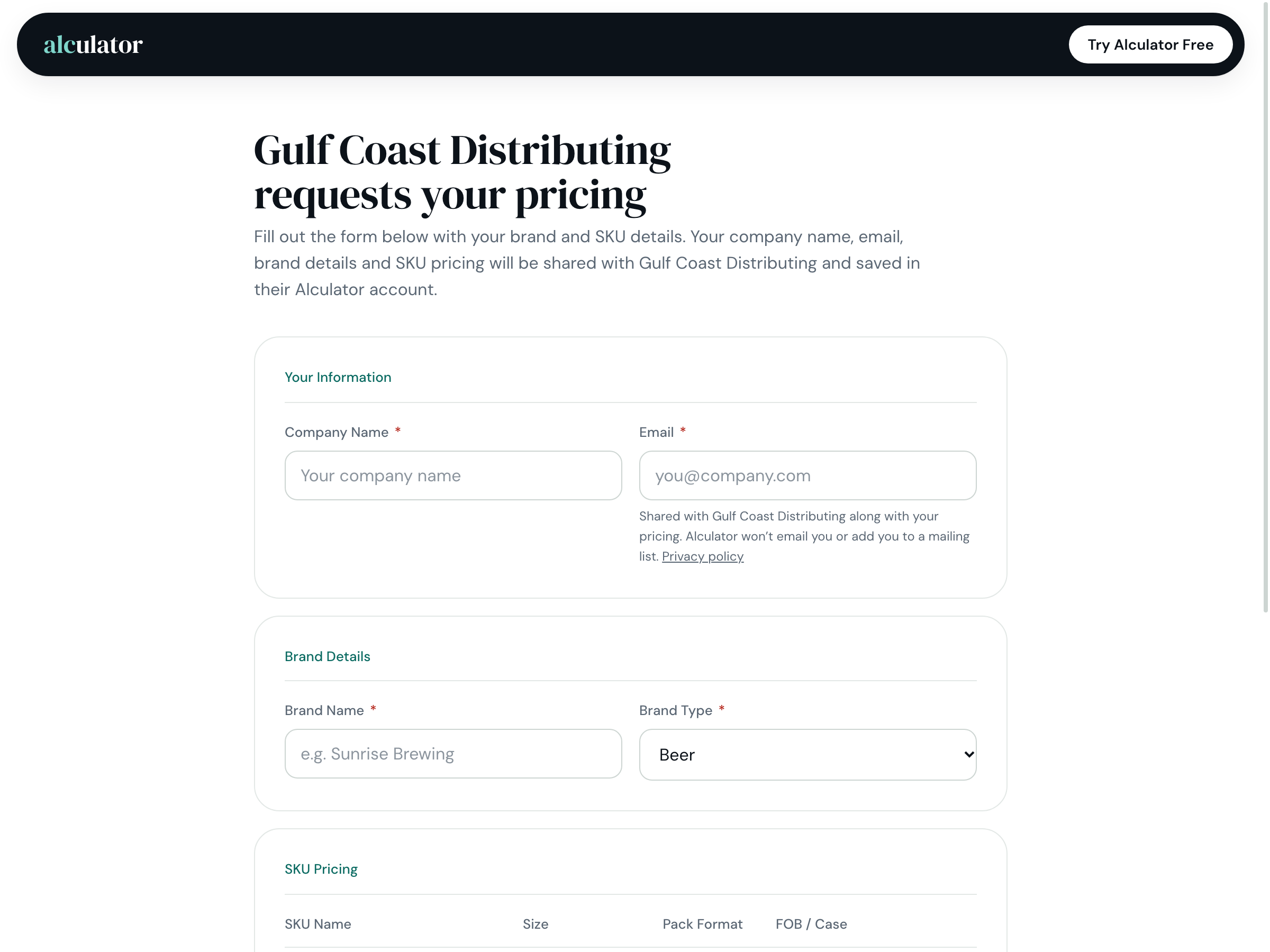
How it works
From spreadsheet to share link in an afternoon.
Three steps, no imports, no setup calls.
- 1
Model your pricingPick a category template, enter your SKUs and FOB prices, and watch the three-tier math fill itself in — freight, excise, depletion and all.
- 2
Share a live linkSend distributors a read-only link instead of an attachment. They see clean, professional pricing in their browser — you see when it's been viewed.
- 3
Update once, everyone sees itChange an FOB or a margin, publish the new version, and move any live link to it with one click — everyone holding that link sees the new snapshot, with no attachments to re-send.
Questions suppliers ask
Your pricing, ready before the meeting is.
Model your first brand in the free calculator, or create an account and keep it forever.
Free tier forever · no card required